

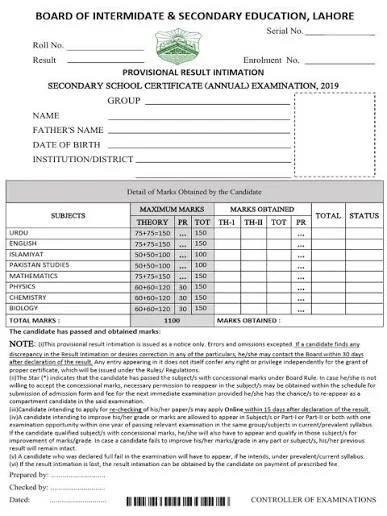
The Board of Intermediate and Secondary Education (BISE) Lahore will be officially announced the annual Lahore Board 11th Class Result 2026 (Intermediate Part-I) examinations. Students from the Lahore Division (including Kasur, Sheikhupura, and Nankana Sahib) can now view their detailed marks online, via SMS, or through the board’s official gazette.
Educational boards across the country are set to officially announce the 11th class (HSSC Part 1) results on October 22, 2026, at 10:00 AM. Thousands of students from the Science, Arts, Commerce, and Computer Science groups who appeared for the first year annual examinations can now obtain their online mark sheets directly from their respective board portals. If you are awaiting your HSSC Part 1 scorecard, this comprehensive guide provides simple, step by step instructions on how to check your lahore board 11th class result 2026 online and via SMS.
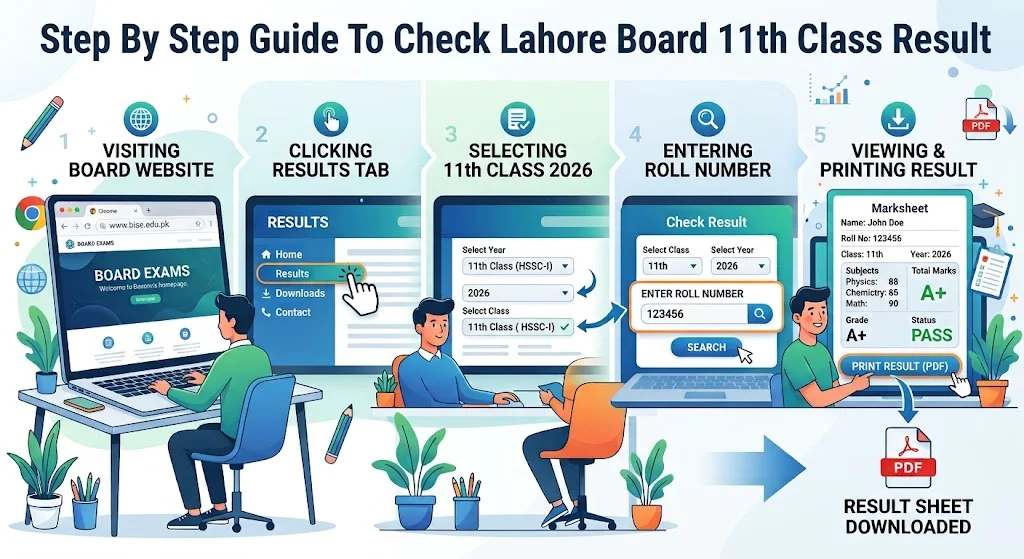
Step By Step Guide To Check Lahore Board 11th Class Result 2026
Students can check their 11th class results using any of the four primary methods below:
Method 1: Online via Official Website (By Roll Number)
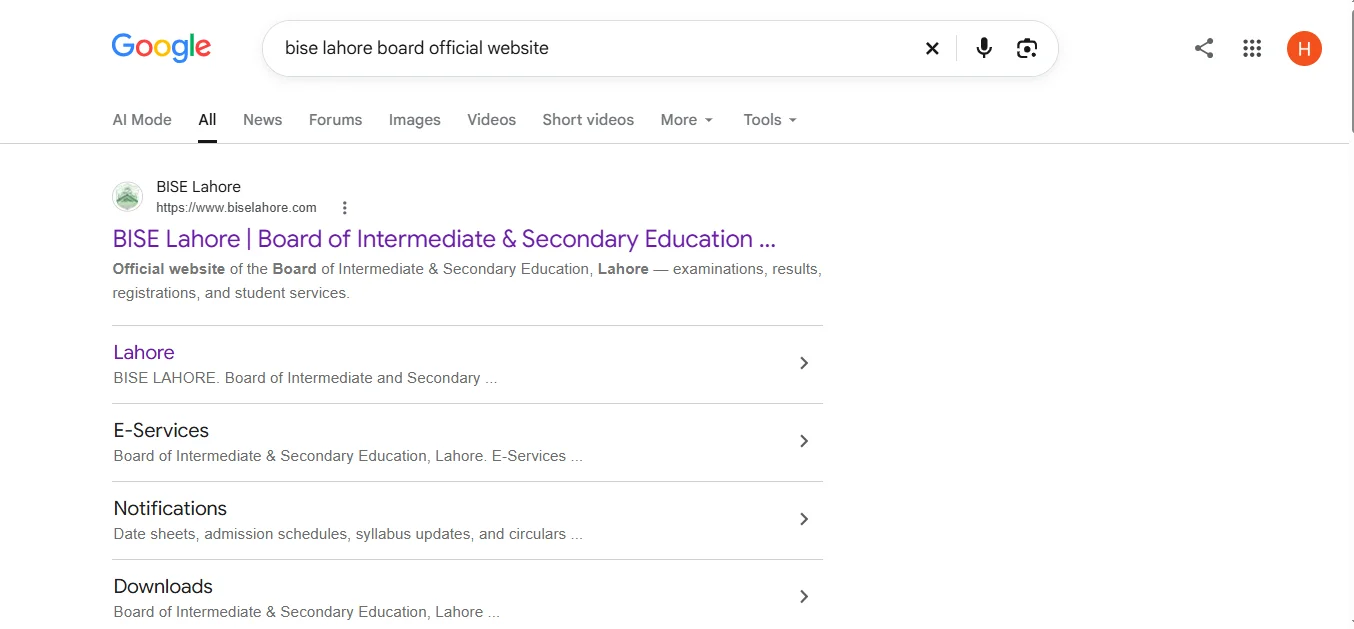
- Visit the Board Website: Go to the official BISE Lahore website at biselahore.com.
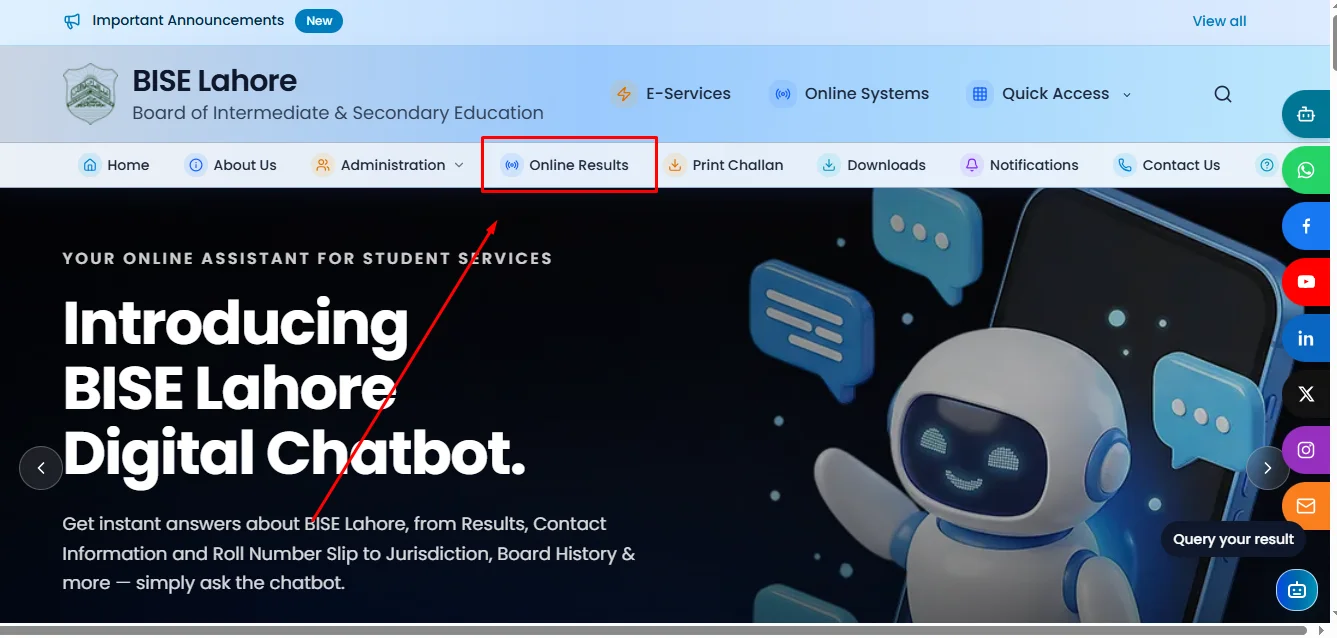
2. Access Results Section: Click on the “Online Result” or “Results” tab on the homepage.
Enter Required Details:
Exam Type: Select “Intermediate (Part-I) / Class 11”
Exam Year: Select “2026”
Roll Number: Enter your official 6-digit roll number.
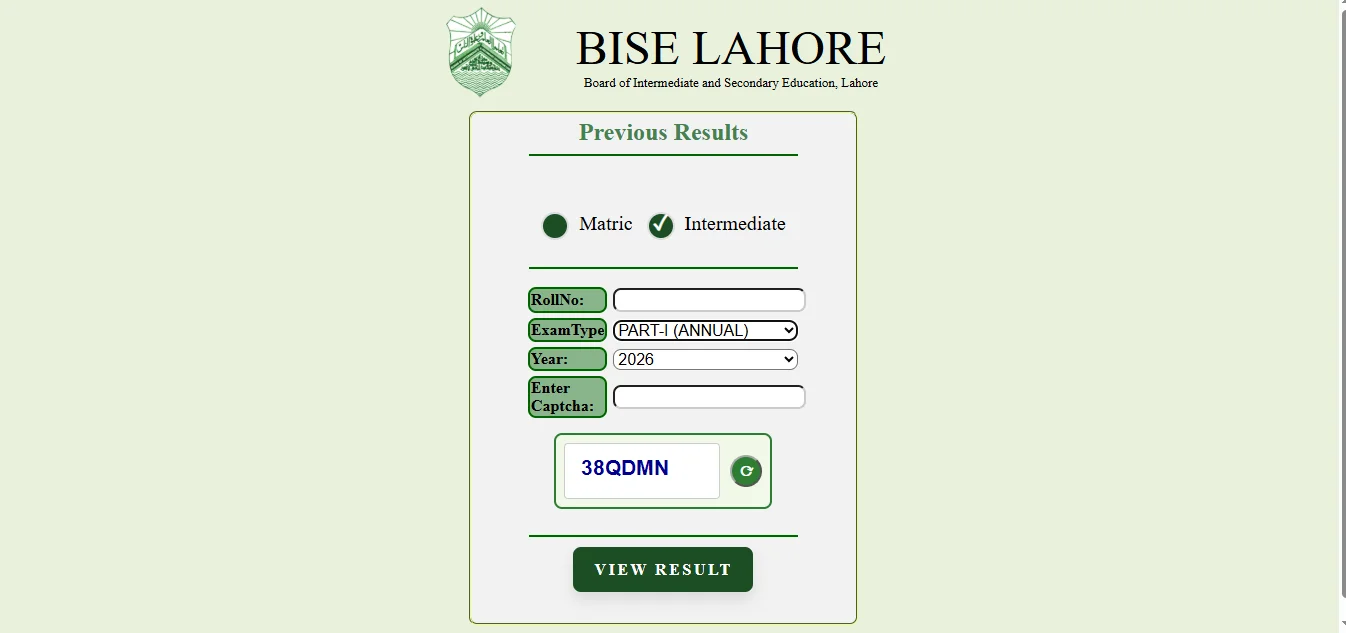
View Marksheet: Click the “View Result” button to display and download your detailed marksheet.
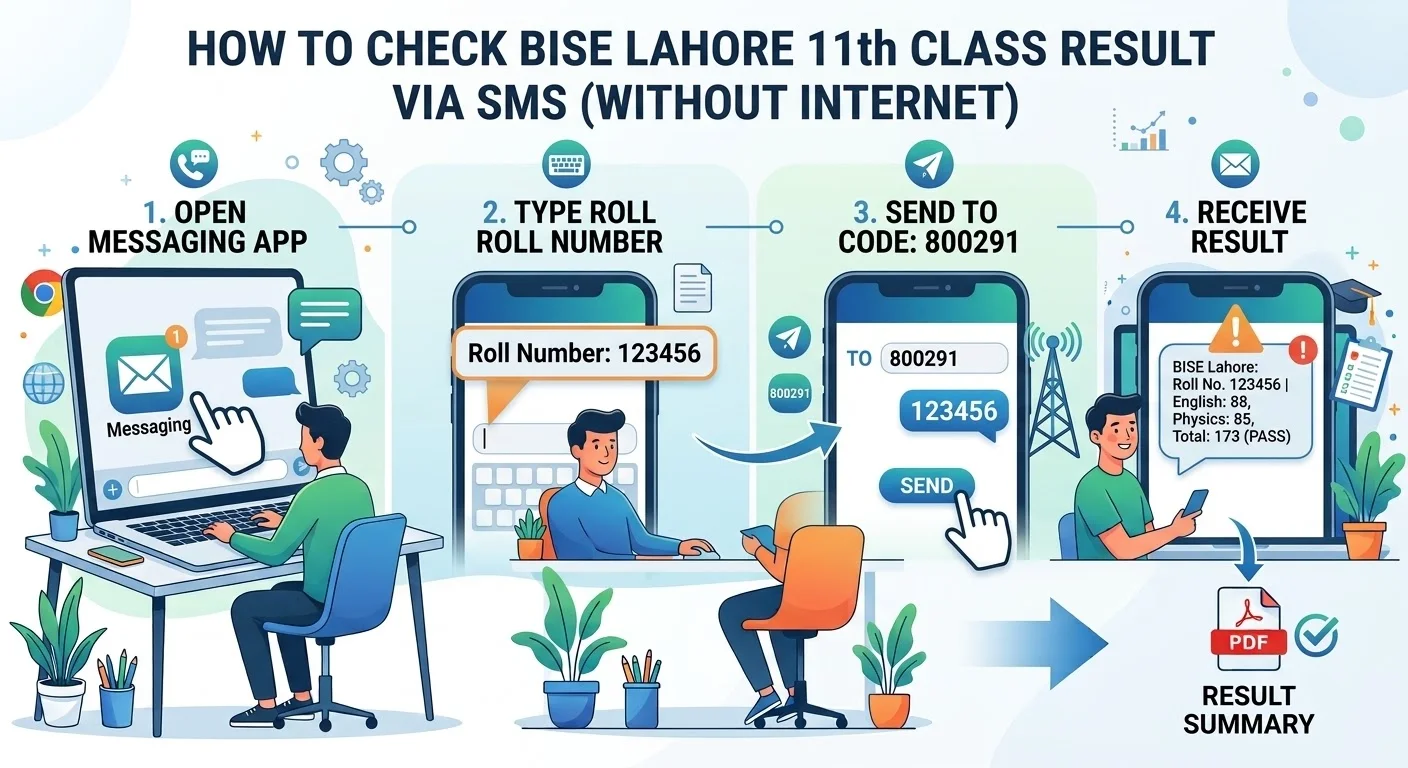
Method 2: Via Mobile SMS (Without Internet)
Open the Messaging app on your mobile phone.
Type your Roll Number in the text box.
Send the message to BISE Lahore’s SMS code: 800291.
You will receive an automated text message containing your total marks within a few seconds.
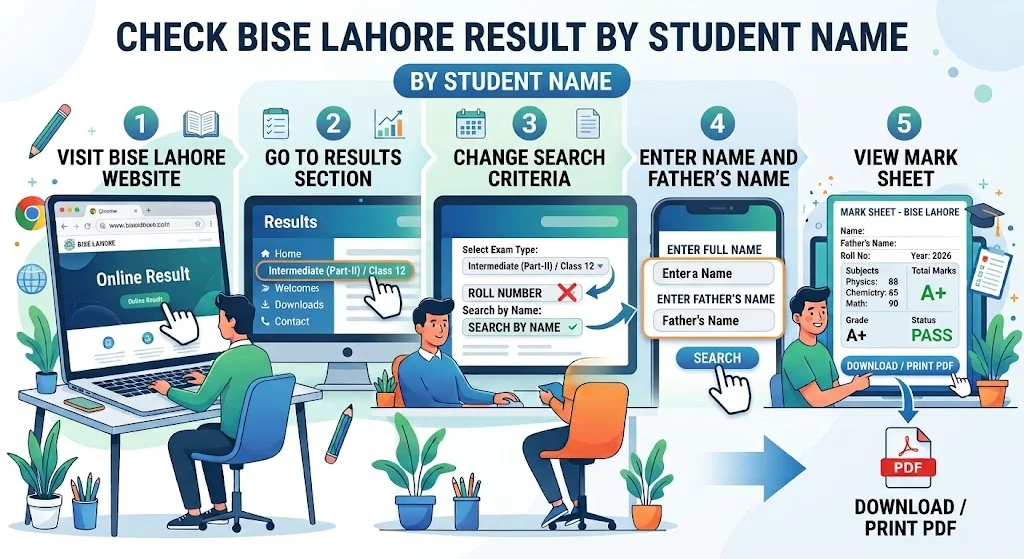
Method 3: By Student Name
Navigate to the results portal on the BISE Lahore official website.
Change the search criteria from “Roll Number” to “Search by Name”.
Type your full name and your father’s name exactly as stated on your roll number slip.
Click “Search” to locate your result.
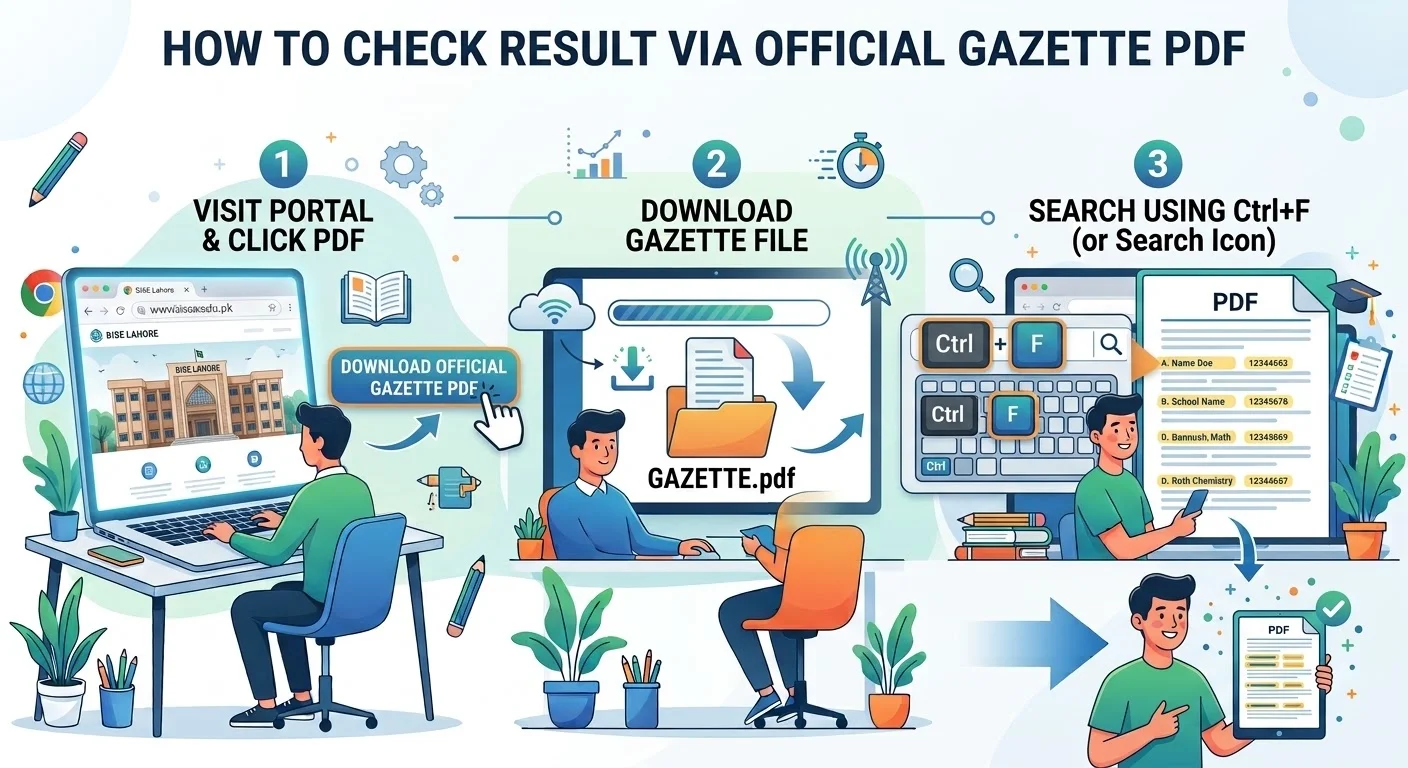
Method 4: Download Official Gazette (PDF)
Visit the BISE Lahore portal and click on “Result Gazette PDF”.
Download the gazette file to your computer or smartphone.
Use the search shortcut (Ctrl + F on desktop or the search icon in mobile PDF viewers) to quickly find your result by typing your name, school name, or roll number.
Apply for Rechacking
For students dissatisfied with their awarded marks or suspecting errors in the tabulation, BISE Lahore has announced the immediate opening of an online portal for re checking and re-counting applications.
- Application Deadline: Candidates must submit their re-checking forms online within 15 days of the result announcement.
- Fee Payment: The processing fee can be paid at designated bank branches using the generated online challan form or via mobile banking apps.
- Important Distinction: The re-checking process primarily involves re-counting marks, verifying unmarked answer sheets, and ensuring there were no technical errors during data entry; it does not entail a re-evaluation of the written answers themselves.
Good Luck Messages
No matter which career field you choose, have faith in your ability to adapt, move forward, and achieve outstanding success. Maintain a positive environment around you, take pride in your hard work, and believe that even more brilliant opportunities await you in the future. Best wishes for your results and for every exciting stage of your educational journey ahead!